Fences are a fact of tennis. They keep balls from rolling onto the next court and separate the people playing from the people watching. If you’re a parent recording from outside the court, there’s a good chance a fence is between your phone and the point you want to capture. At some courts, every usable angle is through chain link.
In person, you follow the rally without thinking much about the wire. On video, the mesh is in every frame. It crosses court lines, cuts across the racket, and can cover a ball that’s only a few pixels wide. Move the phone a little and the wire shifts across the action. We wanted to make that footage easier to watch using the recording the player already had.
This work grew out of our effort to build an AI tennis coach, which we wrote about in AI Tennis Coaching IRL. The idea was straightforward: record a point on an iPhone, analyze how the selected player played, and return something useful to work on. Tap the timestamp beside the advice and you could replay the moment it was talking about. Getting that advice right was considerably harder.
Fence removal was one piece of that experience. We wanted the player to have a clearer replay to watch alongside the coaching. The analysis still worked from the original recording, while a separate job made an optional cleaned copy for playback. The overall architecture in Part 3 shows how capture, analysis, coaching, and replay fit together, including that separate fence-cleanup branch.
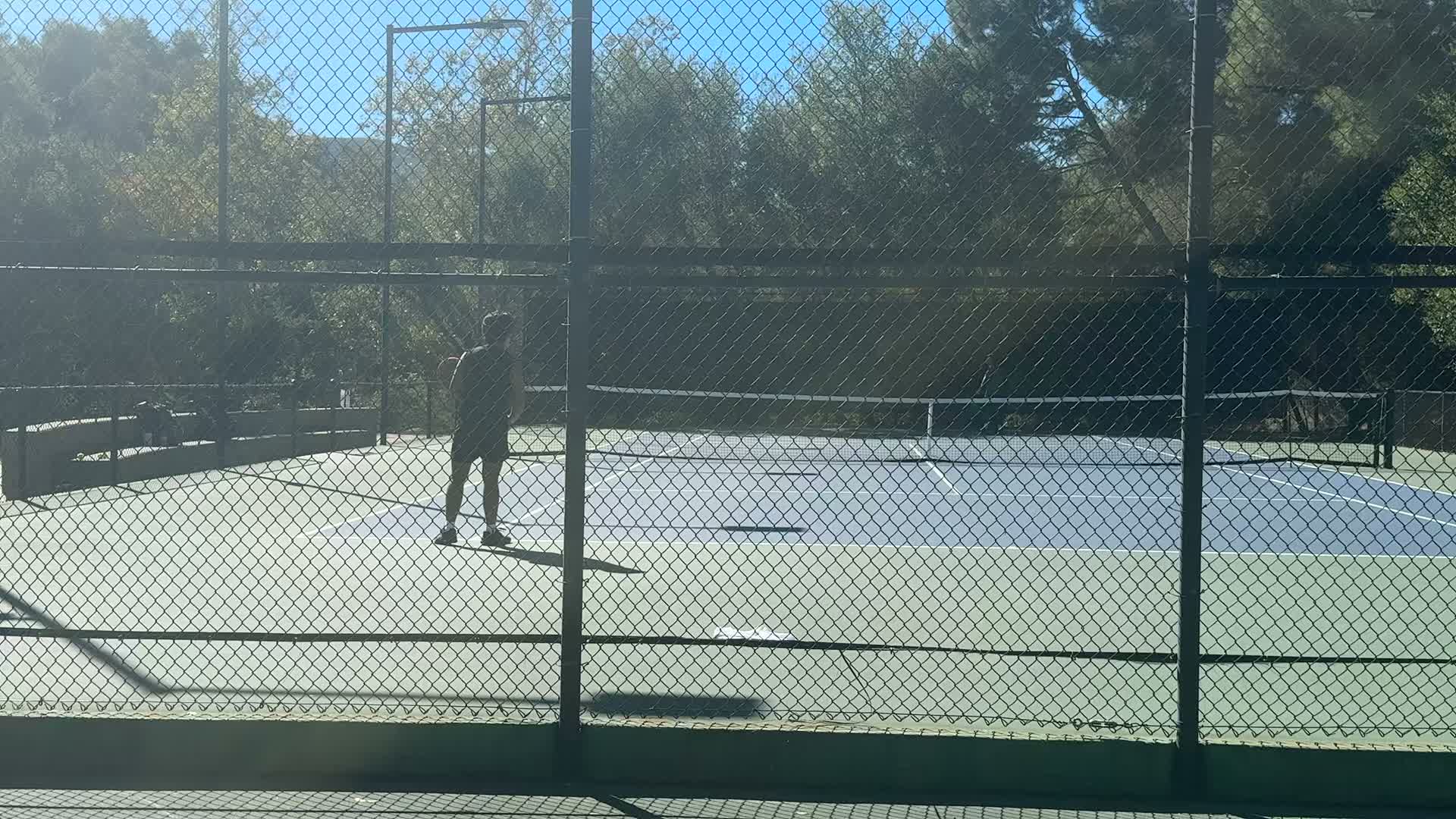
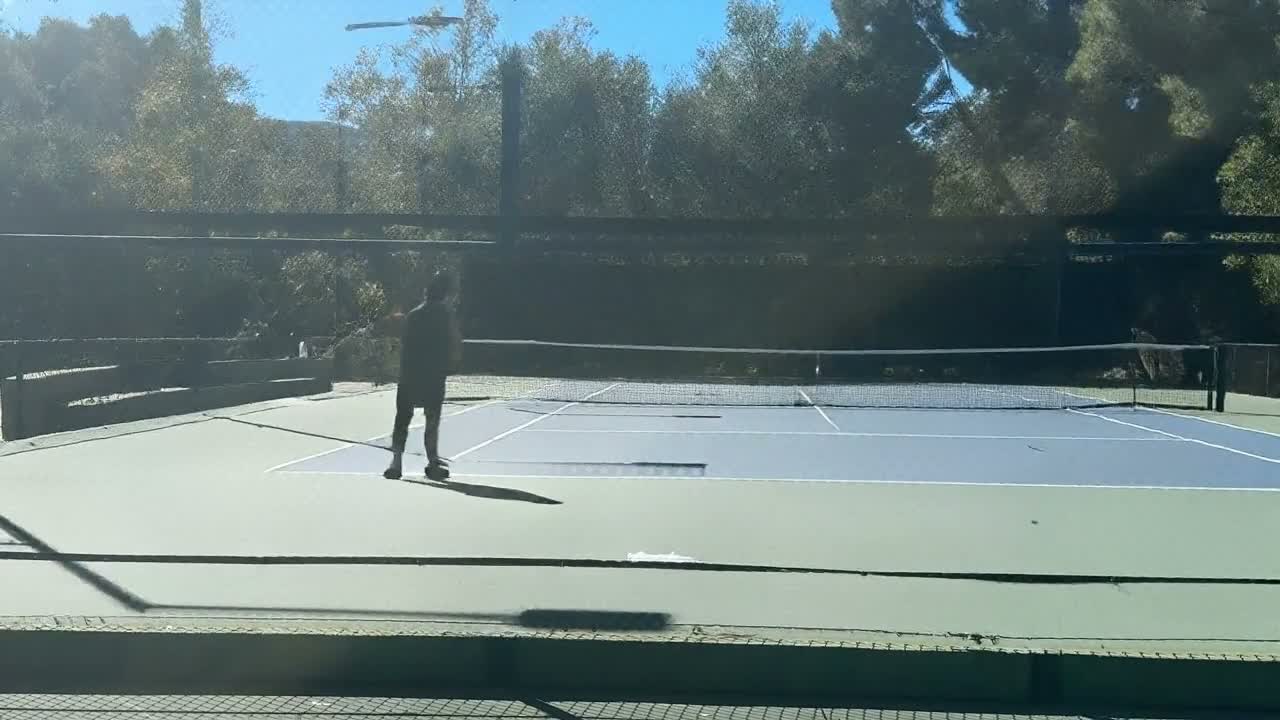
Finding the wire
We trained a lightweight U-Net, a convolutional neural network that assigns each pixel a probability of belonging to the fence. Its encoder picks up the repeating diamond pattern across a wider area. Its decoder uses fine detail from earlier layers to trace individual wires across a busy background.
To get training examples with known answers, we put synthetic fences over clean tennis frames. Each example gave us an obstructed frame, the clean frame underneath, and a mask of the fence we’d added. Real recordings showed where that setup needed work. A wire can be sharp in one clip and out of focus in the next. Dark windscreens make it hard to see. The shadow of a fence can look like another layer of mesh across the court.
Filling the gaps
We pass the frame and its fence mask to LaMa, an image-inpainting model developed by Roman Suvorov and colleagues. Its Fourier convolution layers can use context from across the image. On a tennis court, the visible sections of a line give the model clues about what should connect across a series of small gaps. LaMa paper
Our first comparison made LaMa look like a poor choice. Some masks covered the center of each wire and left the blurry edges visible. LaMa treated those edges as part of the scene, leaving a faint lattice across the fill. When we compared fill methods using the same slightly wider mask, the ranking flipped. LaMa continued court lines and the top of the net more convincingly than the local interpolation methods we tested. See the mask comparison in Part 3
The flicker fix we tried with Astra
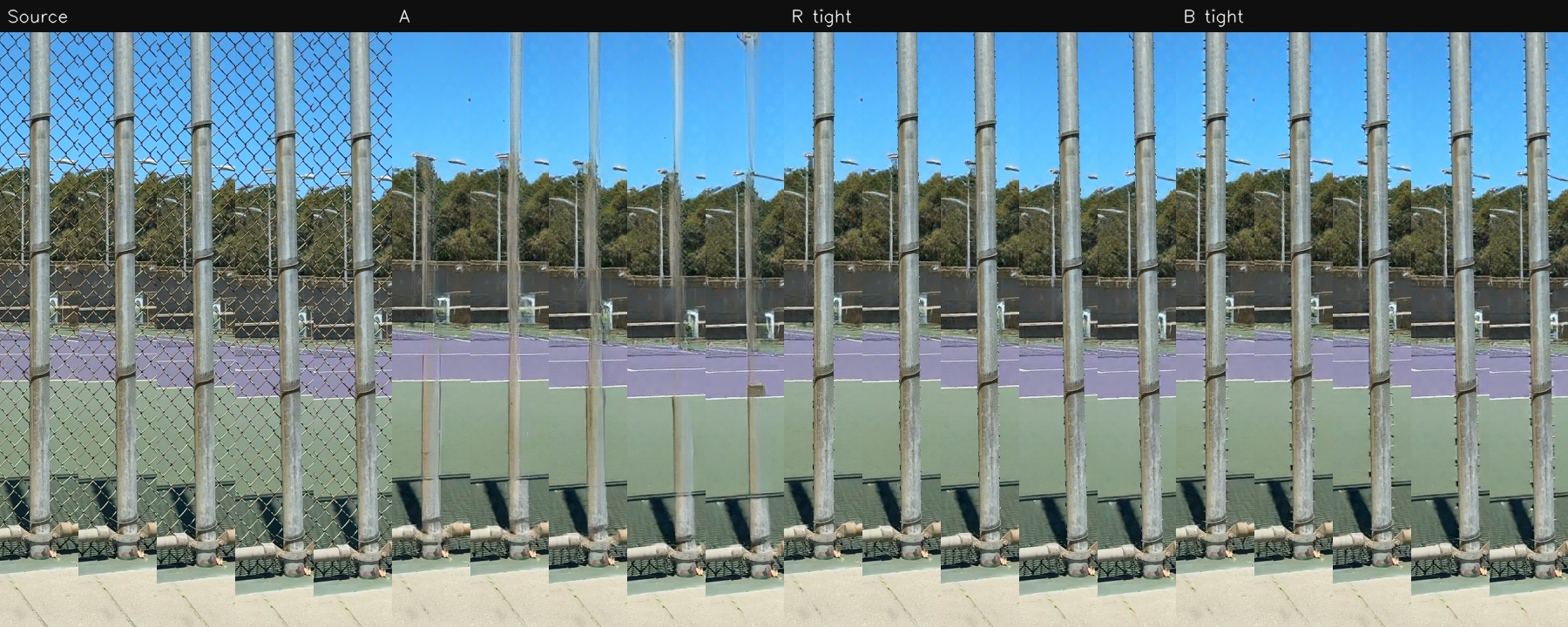
A still can look clean while the video shimmers. The renderer processes each frame independently. At a fence post, small changes in the mask can cause the renderer to keep part of the post in one frame and repaint it in the next. LaMa can also fill the area beside the post a little differently from frame to frame.
We worked with Astra to test two changes. First, we tracked outlines around posts and rails so we could preserve their original pixels. Second, we used neighboring frames to stabilize the mask after accounting for camera motion. We compared each change on its own and in combination. LaMa did the filling in every version.
Across four 10-second windows from two recordings, the combined approach reduced our measure of flicker around post and rail edges by 10–16% in three windows. In the fourth, the score got about 4% worse. The temporal step added roughly 40% to the time we spent on segmentation and filling in the local test.
A follow-up with more carefully traced outlines kept the metal surfaces intact, but the region just outside the outlines still flickered. The closer we looked, the more important that narrow strip became. We kept the existing renderer.
Why we kept ball tracking on the original video
During development, we tried using ball tracking to give the coach more evidence about the point: where the ball went, when it reached a player, and where it landed. That information could help explain what happened and support the advice.
Ball tracking depends on following a tiny object across successive frames. A plausible repair in one frame can turn into a misleading signal in the next. Because LaMa fills each frame independently, a small patch of reconstructed texture can appear, shift, or vanish from frame to frame. In our tests, that created apparent motion the tracker could mistake for the ball moving.
We also saw the reverse. In two frames we inspected, the camera had captured a visible ball, but it disappeared in every processed variant. The ball was only a few pixels across. When those pixels fell inside the fence mask, the fill could paint over them and the track could lose a real observation.
That’s why we reserved the fence-cleaned copy for playback and kept ball-tracking experiments on the original recording. When the wire hid the ball, we had a gap in the evidence. Filling that gap with a plausible picture didn’t give us another observation of the ball.
We later took automatic ball tracking out of the default mobile coaching run. It wasn’t contributing enough to justify the processing time and cost. Part 3 covers the tracking work and where we landed. The coaching analysis continued to use the original footage.
What we learned, and what we’d try next
The mask mattered more than our first comparison suggested. Leaving the blurry edges of the wire behind made a good fill method look bad. Giving each method the same mask changed the result. I’d check that part of the comparison early next time.
We also learned to watch the video. A clean still could hide a shimmering post, and a better flicker score could hide a ball that had disappeared. Preserving the metal helped, but it didn’t settle what happened at its edges. The extra processing time was easy to measure. Whether the result was better took more looking.
As models improve, I’d revisit reconstruction that uses neighboring frames to keep the repair consistent. I’d start with the clips that gave us trouble and check the post edges, court lines, ball, and racket against the original. Does the repair stay steady as the camera moves? Does it preserve the small details we could actually see? How long does it take? A smoother video would be useful for playback. Using it as evidence for coaching would need a separate test.
That’s a smaller version of the lesson we came back to throughout the project: a convincing result still has to survive a look at the tennis. We wrote more about that, and what would make us take another run at the coach, in Part 5: Wrapping Up (for Now).