In the first post, I explained the problem we set out to solve: give tennis players useful coaching from the short, imperfect recordings a parent or friend can take during a match. We built a functional system, but it simply wasn’t good enough.
This post covers how we started, why the early results were misleading, and how a fairly straightforward web app became a “way down the rabbit hole” epic adventure.
Upload a video, get coaching
Our initial approach was to build a website with a good video player and an API behind it. Someone uploads a recording, we pass it to a model, and the player gets feedback tied to relevant moments in the clip. Easy right?
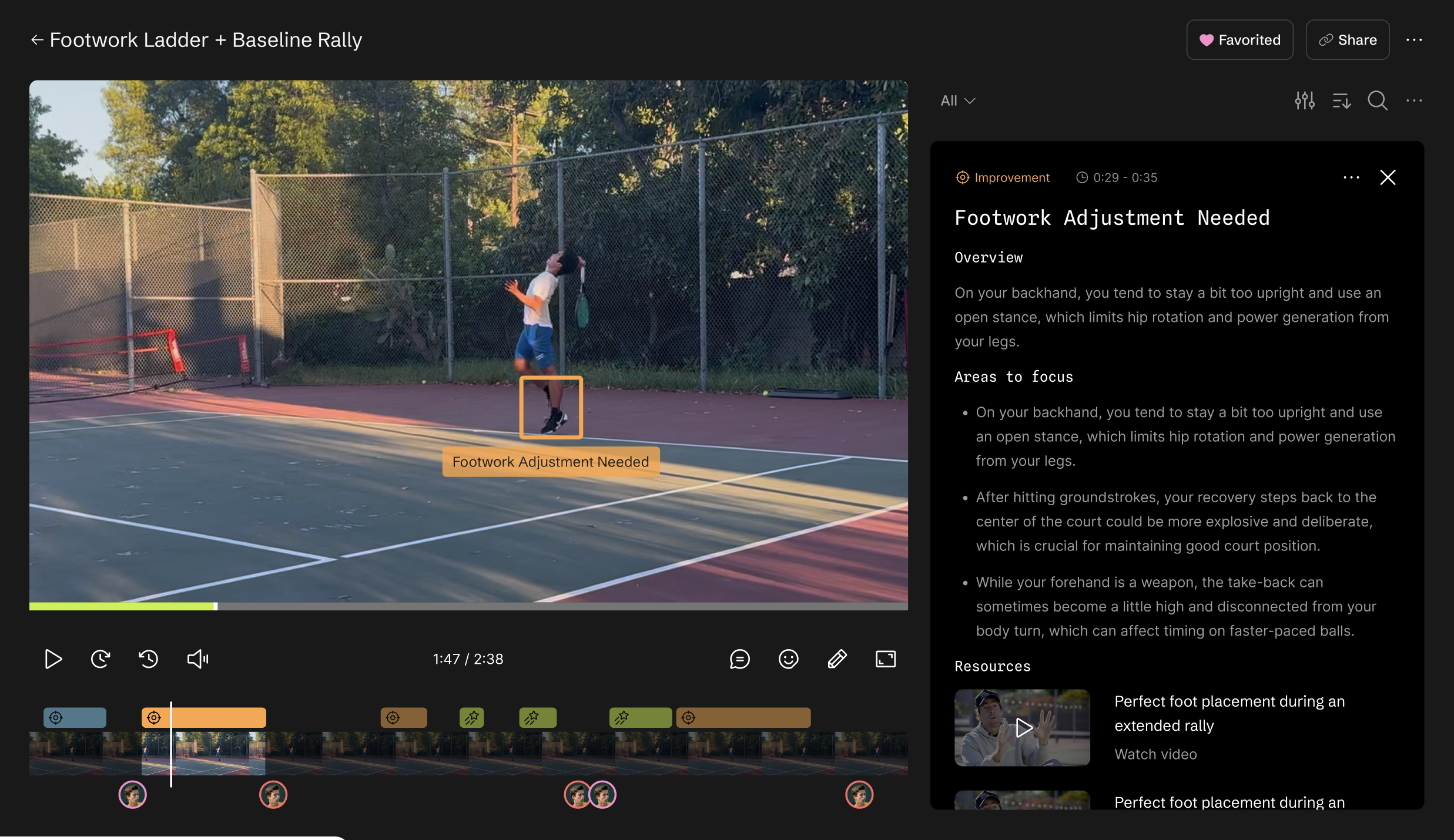
The early analysis used Google Gemini since it has native multi-modal support (kind of). We supplied the video, the player profile, and instructions for what to examine. The response came back in a structured format that we could turn into a coaching experience: a summary, observations, and timestamps connecting the advice to the recording.
The playback mattered. We wanted to pause at a useful moment, zoom in, and show the player what the feedback referred to. Coaches and players could share recordings and discuss specific points.
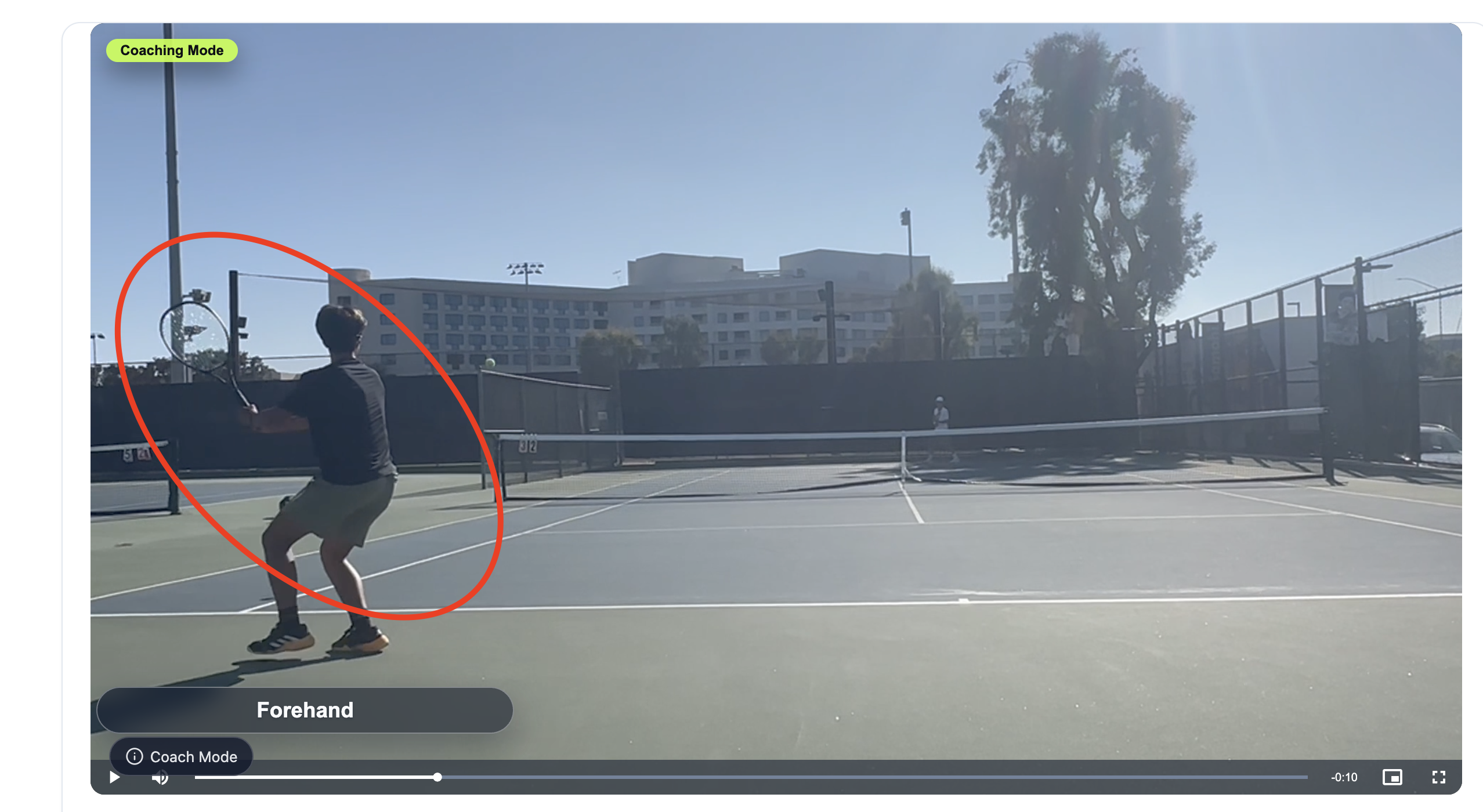
There was also a less technical goal: keep parents and kids from fighting after a match. Giving them something else to react to seemed useful. Being annoyed with TNNS HEAD is considerably less consequential than being annoyed with the person driving you home.
The site was starting to look good. Analysis felt a little loose but it was pretty speedy and some of the coaching advice looked solid. It was time to do some fine-tuning and make it good.
So I did a moment by moment review of the advice. It was not only not good, it was dead wrong. It had invented a backhand that never happened. It couldn’t see obvious serves. Other strokes were missing or fabricated. Tweaking the prompt, few shot examples, evals… none of it made a big difference.
We weren’t debating whether the player should have approached the net or chosen a different target. The system was getting the events themselves wrong. The problem was foundational.
Giving the model a better account of what happened
The models could recognize tennis and produce language that sounded like coaching. We couldn’t reliably depend on their understanding of the sequence: who hit which shot, where the players were, and how one action affected the next.
Perspective was particularly troublesome. From behind the baseline, the near player looks large and the opponent looks small. A player’s position in the image doesn’t translate directly into their position on the court. The models were clearly trained on language and knew little of visible depth or physics.
After some wringing of hands and long conversations with AI and humans, we realized we had to build a spatial intelligence pipeline, what we called SPI. SPI’s main role was to basically produce a package for the model that simulates human perception of where the person is, their posture, the placement and trajectory of the ball, the geometry of the court as well as what could be heard on the court from sneaker squeaks to line calls (“out!”).
This meant detecting the players and ball, tracking them across frames, estimating body positions, and mapping positions onto the court. Those observations could support candidate events—a serve, an approach, a recovery—which we could supply to the model as context for its coaching.
The first approach
- Uploaded videoPlus the player profile
- Gemini analysisStructured observations
- Coaching playbackAdvice linked to the clip
After adding SPI
- Video + audioThe recorded evidence
- PerceptionPose · player tracking · court geometry · ball tracking · audio
- Candidate eventsServes, strokes, approaches, recoveries
- Model + playbackCoaching from the available evidence
Recreating human perception turned out to be an enormous pain in the ass. Here's a quick breakdown of what we tried and how it went:
- Human pose — relatively straightforward. Established pose models gave us a useful 2D skeleton: 17 keypoints covering shoulders, elbows, wrists, hips, knees, and ankles. A sufficiently visible player could be processed with existing models without building our own. That didn’t guarantee accurate stroke mechanics, but it provided a practical foundation.
- Audio — straightforward to obtain, surprisingly useful. We used Silero for voice activity detection and Gemini for interpretation, alongside separate impact detection. Racket hits and vocalizations helped locate action and interpret sequences that were visually ambiguous. The complication was attribution: the microphone also recorded neighboring courts, so a sound needed corroboration before we treated it as evidence.
- Player tracking — difficult. Finding a person in a frame was relatively straightforward; maintaining the identity of that same person throughout a recording was harder. We combined player detection with ByteTrack to associate detections across frames using position and motion. Players disappearing behind obstructions, leaving the frame, or passing near other people could break that continuity. We also had to distinguish the selected player from their opponent, spectators, and players on neighboring courts. An identity switch could quietly turn someone else’s movement into coaching advice for your child.
- Court geometry — very difficult, with meaningful progress. We used a homography—a perspective transformation—to map image coordinates onto the court. This ultimately was a very slick custom model that worked in many instances but greatly preferred the baseline. Good homography requires correctly identified court points with enough spatial spread to constrain the mapping. Our recordings often contained too few visible line intersections, while handheld camera movement made a previously useful calibration drift. We could produce pretty good results, but never mastered the range of views we needed to support reliably.
- Ball tracking — nearly impossible to make consistently reliable from our footage. The ball is small, distant, fast-moving, frequently blurred, and sometimes obscured by fencing or players. Our early TrackNet implementation examined three consecutive frames resized to 512 × 288 pixels, which further reduced the detail available for a distant ball. We could recover pieces of trajectories; maintaining a trustworthy track through an entire exchange was another matter. Smoothing and motion prediction could bridge short gaps, but couldn’t reliably reconstruct a ball the recording barely captured.
In order to make it easier for the model to understand, we rolled up some of these (e.g., pose and ball tracking) into semantic events to ease the burden on the model a bit, allowing it see a forehand or a backhand versus interpreting the data.
Before we talk about how our perception stack worked in real life, it's worth taking a moment to understand how the models handle video.
What does “watching the video” mean?
One easily missed detail is what it means to give a model a video. The models sample uploaded videos by extracting select frames, with timestamps. Sampling a 30 FPS recording at one frame per second, for example, leaves 29 frames out of every second’s analysis. That may be ok to describe a scene, but racket contact or a bounce can fall entirely between samples when a ball is moving quickly in milliseconds. Gemini could also process the accompanying audio, but the visual evidence still depended on which frames were selected and how much detail they retained. Note that this is different from how a visual model like Elorian works, but more on that later. It’s consistent across Astra, Qwen and other models.
We experimented with how densely we asked the model to sample the video, including increasing the requested rate from 8 to 24 frames per second. That was an analysis setting, not the phone’s recording rate. A clip could contain useful evidence that never made it into the frames used for analysis. We created sets of frames like cartoon strips to provide more context to the model. We cropped, we zoomed to increase player size.
Player size matters a lot. Following someone from the sidelines requires less visual detail than analyzing their feet and racket from a recording. Someone could be plainly visible to a parent and still be too small in the image for useful analysis. Especially on the far side of the court.
Audio gave us another source of evidence. Impacts and vocalizations could help locate action and provide context when the view was incomplete. It’s quite good at helping determine what happens at the end of a point given how hard it is to see the ball. However, noise doesn’t stay on one court. Match play is often done around many other people who are playing. 8+ courts is normal. We had to compare sounds with visual evidence to avoid treating someone else’s racket hit or call as part of the point being analyzed. Tricky.
Meanwhile, we needed a way to judge whether changes were improving the system. We collected measurements of visibility, tracking, pose, and court-detection quality, and built tools to annotate recordings and compare the output with what actually happened.
Better, but…
We labeled recordings by hand and built an evaluation dataset so we could test the system against what actually happened. After a fair amount of iteration, we were getting accuracy around 70%. It wasn’t terrible, but it also wasn’t especially good for something intended to tell a player how to improve. We could have kept grinding on it for a very long time. Increasingly, though, it was clear that some recordings simply weren’t workable. The players were too small and far away to analyze reliably. The camera angle left too few usable court landmarks to establish the geometry. The ball was largely invisible. We were asking the system to reconstruct events from evidence the recording had barely captured.
So we became mobile developers
We’d reached the limit of what we could fix after a recording was uploaded. To improve the results, we needed control over how the video was captured and a way to guide the person holding the phone while they could still do something useful with that guidance.
That meant building a native mobile app. It also meant rebuilding substantial parts of SPI around the capture process: deciding what should run on the phone, what belonged on the server, and how the two would work together.
We were six months in and starting over in several important ways. What began as a website with an API now required us to become mobile developers and reconsider the architecture we’d spent those months building. A fairly substantial change of plans.
The next post covers that rebuild and what happened when we took it back to the courts.